Singapore edition · Catalogue checked
GemBet Slots
To identify an entry in GemBet Slots, look for the full name on the tile, the studio credit and the shelf where you found it. Le Bandit, GemBet Bonanza 1000 and Mines all appear in the Slots catalogue, yet they illustrate three quite different ways to browse it. This guide follows those examples through the Singapore catalogue and shows which details to keep when a search produces several plausible matches.
Inside the GemBet Slots directory
The Hub brings several collections together. All Games opens a broader list, All Providers organises it by studio, and named shelves include Originals, Fishing, Chicken, Mahjong, Table Games and Crash. These labels answer different questions. If someone remembers a mahjong theme but has forgotten the title, Mahjong is a sensible starting point. A studio name on the edge of a screenshot is a reason to try All Providers. A complete title gives you a more direct route than either shelf.
The word Slots on the main menu has a wider meaning than a machine with spinning reels. PlayGem also offers separate Plinko and Mines categories within that menu. This explains why two people browsing Slots might remember completely different screens. One might have seen a reel game and the other a tile with the word Dice. Use the platform guide if the thing you remember is a dealer, a table number or a sports fixture. Those clues point towards other sections of the site.
Sources · PlayGem Slots hub · All providers
Looking up a title with a number
Several neighbouring entries end in 1000. In the reviewed catalogue they include GemBet Bonanza 1000, Sweet Bonanza 1000, Gates of Olympus 1000 and Sugar Rush 1000. Searching for the number alone brings together titles with different names. Searching for Bonanza narrows the field, but still leaves more than one candidate. Read the beginning as well as the end of the title. The GemBet Bonanza 1000 profile shows which words and cover details identify the branded entry.
A second example is Le Bandit. The PlayGem tile uses that short name. Its studio, Hacksaw Gaming, also lists Le Bandit Hold & Win in its own catalogue. Someone looking up the short title could quite reasonably land on the longer one. Compare the heading on the studio page with the title in the directory before borrowing a description. The two studio pages identify different ways that wins are recognised, so an extra few words in the name can make a substantial difference to what a review describes.
Sources · GemBet Bonanza 1000 · Hacksaw Gaming · Le Bandit · Le Bandit Hold & Win
Following a studio credit
A provider groups games made or supplied under the same studio name. In the public Slots hub, Hacksaw Gaming and Pragmatic Play both appear under Top Providers. Choose a studio when it is the part of a title card you can actually read. If the only word you have is Bonanza, start with the game name instead. A list containing a large number of entries from one provider can take longer to narrow down than a search for a distinctive word.
For Le Bandit, compare two pieces of information. PlayGem includes the title in its games list, while Hacksaw Gaming publishes a page describing a grid with six reels and five rows. The grid dimensions belong to that release. They do not apply to every entry in the same studio filter. Similarly, the small Pragmatic Play credit on the GemBet Bonanza 1000 cover identifies the studio shown for that product. GemBet appears in the title as well. The brand profile explains the platform name, which you will also encounter alongside work credited to other studios.
Sources · Hacksaw Gaming game specifications · PlayGem Bonanza cover credit
Separating a shelf from a game
Originals names a collection within Slots. Plinko is an especially useful example because PlayGem has a category labelled Plinko as well as an individual listing bearing that name. A page showing several covers helps you choose between entries. A page headed with one game's name identifies a particular title. Someone sharing a category link may therefore be sending you a selection even though the last word in the address matches the name of a game. The Originals directory guide explains how to tell the two apart using the titles on screen.
The distinction applies to card games too. In the Slots selection there is a tile simply labelled Blackjack. In Live Casino the catalogue includes Infinite Blackjack and Power Blackjack. A note that just says blackjack leaves both the format and the title open. Add the section name and the full title to that note. It then tells another reader which listing to look for, even if the two covers end up next to each other in a sitewide search.
Sources · PlayGem Plinko category · Individual Plinko entry · Blackjack game card
Reading a catalogue entry over time
A dated list is useful when you are trying to identify a title you saw earlier. It records that the name appeared in a particular collection at the time of review. It cannot tell you whether the tile will occupy the same position today. A game once displayed at the front of a shelf may still be searchable after the shelf changes. Return to the name or the studio credit before concluding that an entry has been removed.
A cropped image can make this harder. With a tile labelled 1000, keep the line above the number. With a short title such as Poker, include the name of the surrounding collection. With a game that has two similar studio pages, save the complete heading of the one you used. Together, these details tell you what the product is called, where PlayGem placed it and which description you can check. For the rules or technical figures of a particular release, use the information supplied for that release. A picture, a position in a popular list and a similarly named game each tell you something different.
Sources · PlayGem home catalogue
 Blackjack
 Mines
 Coinflip
 Dice
 Plinko
 Penalty
 Crash
 Poker
 Keno
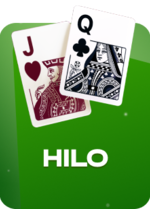 Hilo
 Double
 Le Bandit
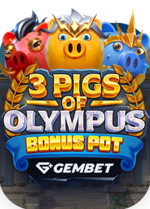 3 Pigs of Olympus Bonus Pot
 Big Black Cock
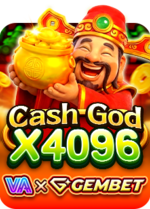 Cash God X4096
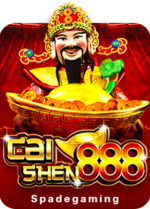 Caishen888
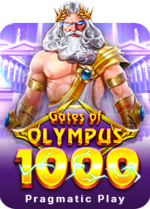 Gates of Olympus 1000
 Temple Tumble
 Tanked
 GemBet Bonanza 1000
 Sugar Rush 1000
 Wild Spin
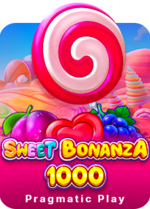 Sweet Bonanza 1000
 Buffalo King Megaways
 Ze Zeus
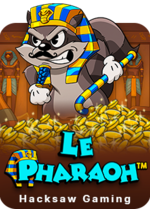 Le Pharaoh
 Fire in the Hole 2
 Le Viking
 Mochimon
